
Trusted by





Signatures that take care of themselves
Skip the extra tool
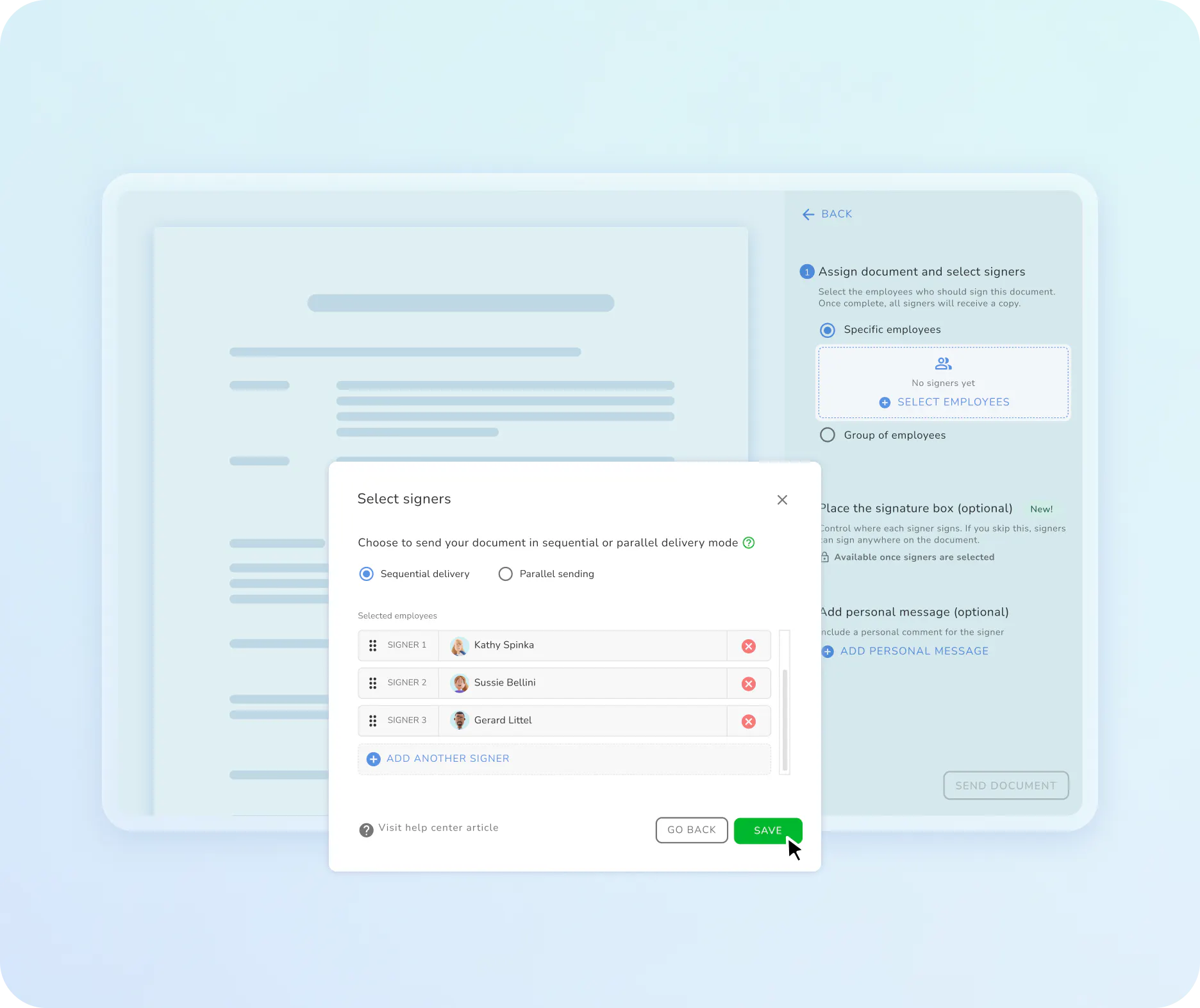
Send documents for signature straight from Kenjo
Create the contract in Kenjo and send it for signature in the same step. No extra tool required.
Your team signs right on the page. No uploading the document elsewhere, no separate login.
E-signature is part of your plan. You don't need a separate subscription with another provider, you just top up signatures as you need them.
No more guessing whether a signature holds up
Every signature stays traceable
A completed signature request can't be deleted. It stays on record, so you can always show what happened.
If more than one person needs to sign, you set the order, for example the employee first, then the manager.
Kenjo uses an advanced electronic signature for your documents, which covers most contracts and agreements.
Never lose track of who still needs to sign
Let Kenjo handle the rest
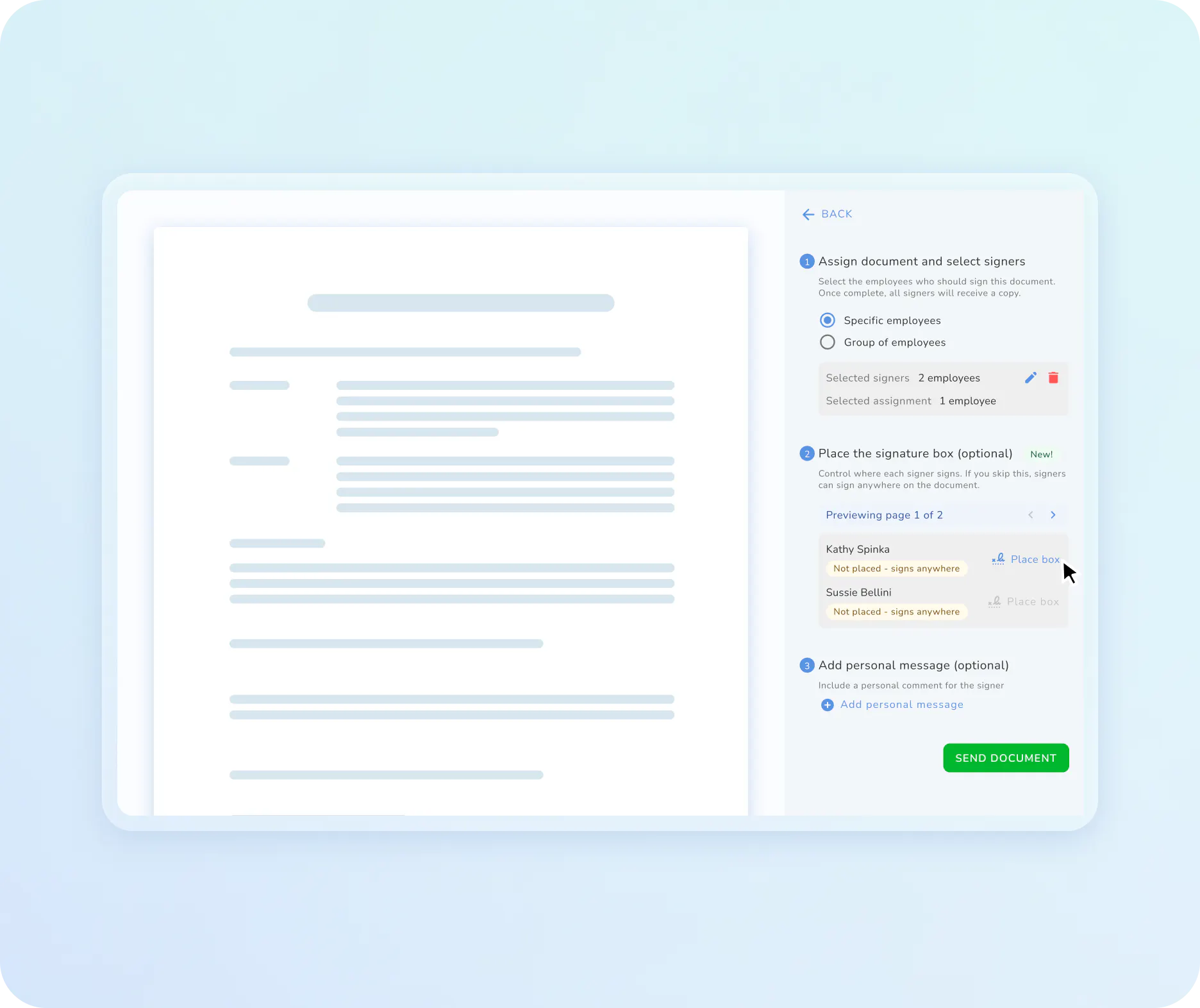
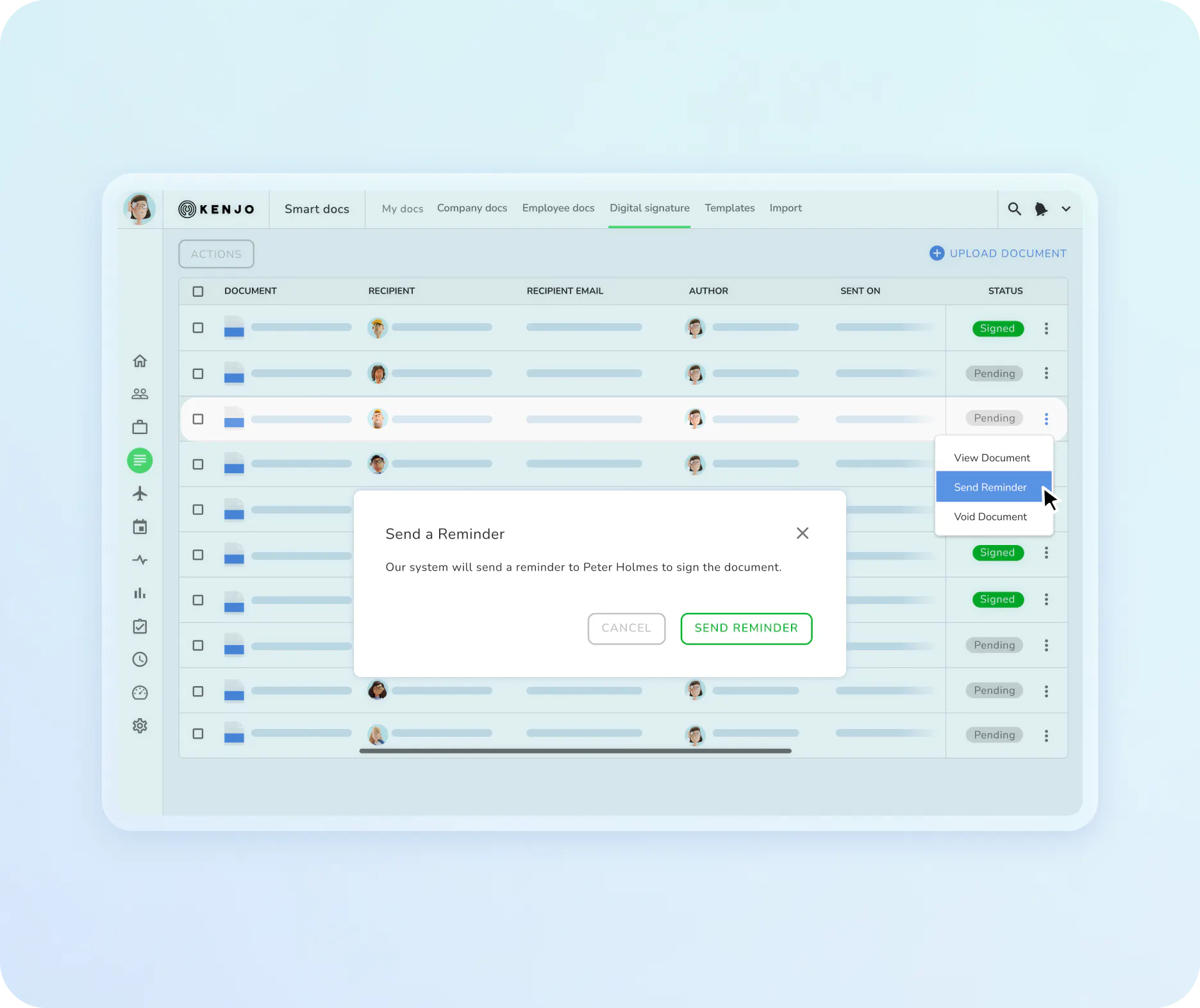
The status shows you at a glance whether a document is still open, signed, or declined. No chasing people for updates.
If someone hasn't signed after a few days, Kenjo sends a reminder automatically. You don't have to follow up yourself.
Once everyone's signed, the finished document lands in the employee's documents automatically.
Success Stories
People managers love Kenjo
We chose Kenjo because the digital signatures were included as part of the workforce management software
Anna-Lenna Schütz
,HR Lead, KAPHINGST
Everything you need for E-Signatures

Send from
Kenjo
No separate tool, no upload to another site. Create the document in Kenjo and send it for signature in the same step.

Choose
signer order
Set signatures to happen all at once or one after another, for example the employee first, then the manager. You decide, document by document.

Automatic
reminders
If someone hasn't signed after a few days, Kenjo nudges them automatically. No more chasing people by email.

Status
without guessing
See at a glance whether a document is still open, signed, or declined. No emails back and forth to check.
Documents
save themselves
Once everyone's signed, the finished document lands straight in the employee's documents. Nothing to upload, nothing to file.
Candidates
sign too
Offer letters and contracts don't stop at employees. Candidates sign directly through their own portal, before they're even hired.
There's more!
Discover how Kenjo simplies your workforce management.
Shiftplanning
Shiftplans that make you and your team happy
- Create and publish shifts in seconds with the help of our AI engine
- Employees enter their availability preferences on their mobile phones, and get immediate push notifications of updates to their shifts
- Double bookings and labor law conflicts can be automatically blocked
- Create smarter roster plans, cover availability gaps and keep everyone on the same page.
Kenjo E-Signature Software FAQ
What is e-signature software?

Ist eine elektronische Unterschrift rechtsgültig?
Is an electronic signature legally valid?
Do I need to buy a separate tool for e-signature?
What does a single signature cost?
Can more than one person sign a document?
How do I know if someone has signed yet?