
Time Tracking App
Your team clocks in where the real work happens
Collecting, retyping, and correcting timesheets: that costs hours. Your team clocks in with the app—whether on the shop floor, on the go, or at the terminal. You see every entry, tied to its exact location.









A Time Tracking App that lightens your workload
The days of paper timesheets are over
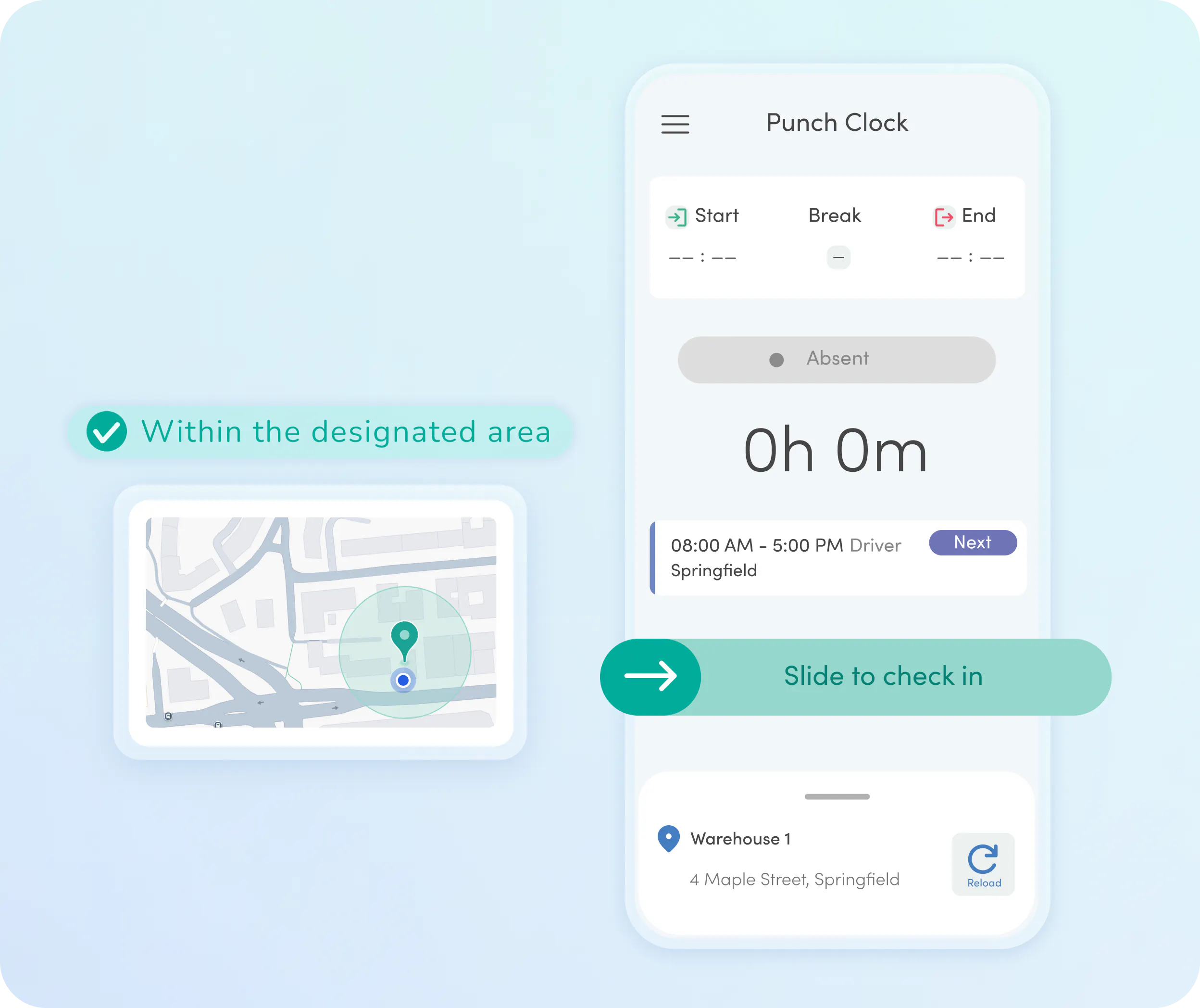
Employees clock in and out via the time tracking app on their smartphone
Just swipe and done. Employees clock in via the Kenjo app on their smartphone.
You see exactly where each entry was made. Kenjo automatically stores the location for you.
Location verification can be set per location and crew. Define where clock-ins are allowed. You set the radius.
Employees find the Kenjo Time Tracking App easy to use
Time accounts, shift plans, and vacations all available in the app
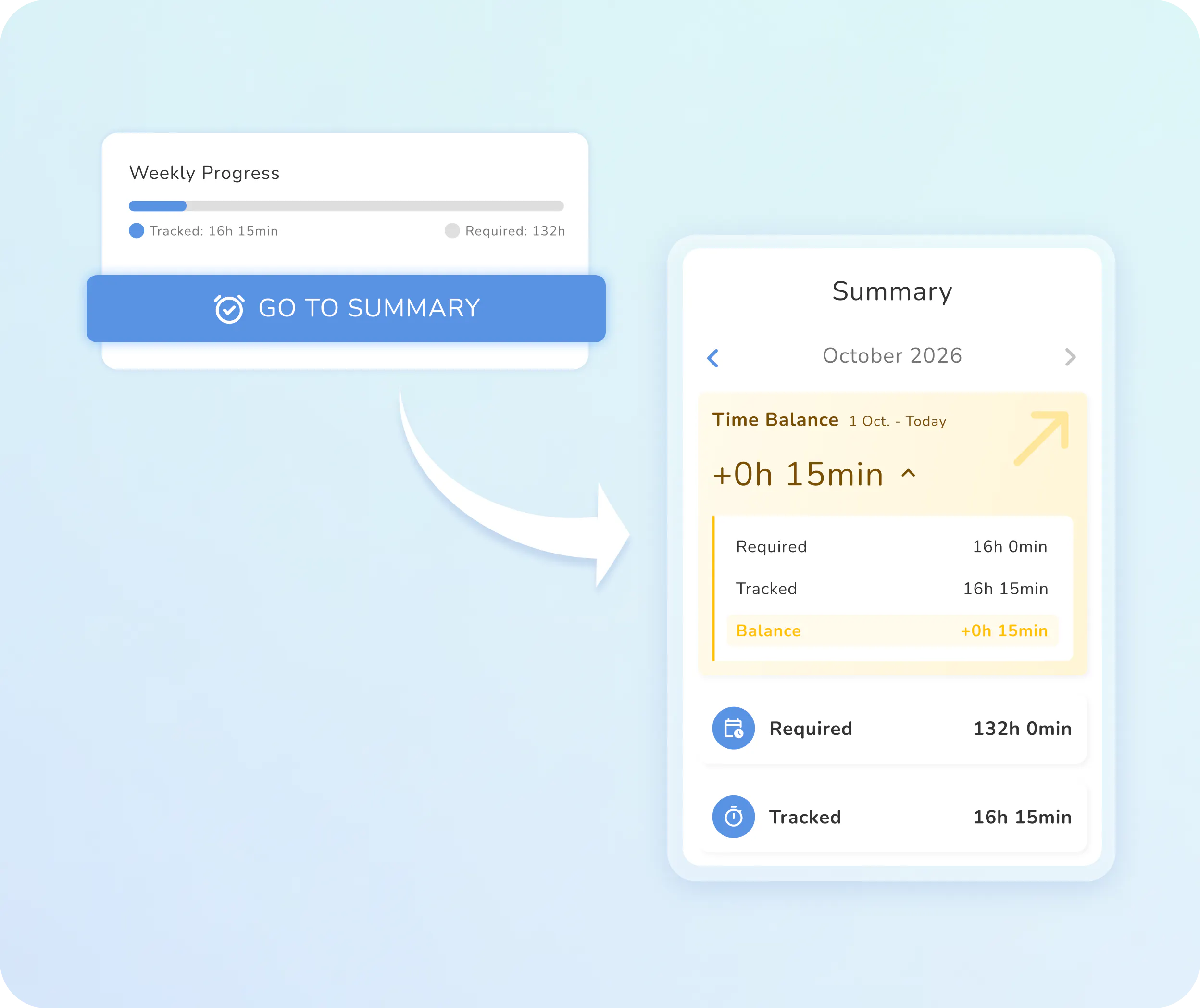
Target hours and actual hours at a glance. Employees can see their current hour balance weekly and monthly in the app.
Shift plan right on your phone. When clocking in, your team immediately sees which shift they're clocking in for. Schedule changes are sent as notifications.
Your team can notify you via the app if they're not available. Vacation, sick days, and shift availability: all can be submitted from the couch.
Only those present can clock in with the Time Tracking App
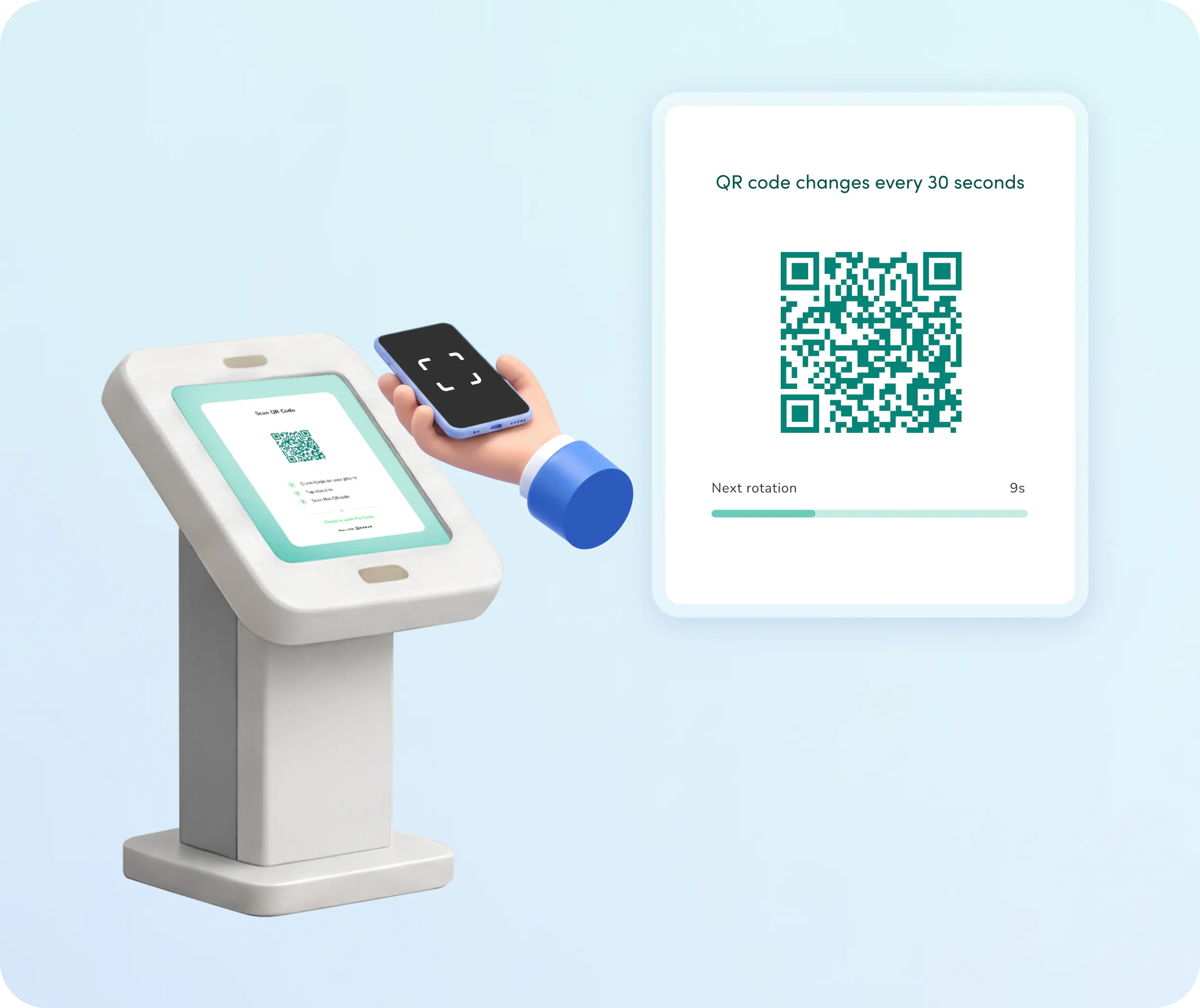
Clock in at a shared terminal, using QR code or PIN
One terminal for everyone. Place it at the entrance, break room, or checkout. No extra device needed for each employee.
PIN or QR code to clock in. Both methods work in seconds, no training required.
Every tracked hour is a real one. The QR code refreshes every 30 seconds: Screenshots and forwarded codes won't work.

Success Stories
People managers love Kenjo
Kenjo has become our main hub, where all data is connected. That way, we no longer need five different applications—just this one.
Claudius Thiel
,Head of People, FinCompare
A Time Tracking App on your terms
Multiple
Locations
Set up a location capture zone for each branch, warehouse, and site.

Rules by
employee group
Set different clock-in rules and automations for each group. Warehouse rules don’t have to apply in the office.

Time account
overview
No more questions about missing hours. Your employees see their monthly actual and target hours directly in the app.

One-click
approvals
Managers can instantly review and approve daily, weekly, or monthly time logs for the entire team.

Category-based
clock-ins
Employees select a category when clocking in. So you know not only when, but also what type of work was performed.
Block early
clock-ins
Prevent employees from clocking in before their scheduled shift. For everyone, or just specific groups.
But that's not all!
Discover how Kenjo simplifies your people management
Shift Scheduling
Still planning shifts via WhatsApp? Kenjo immediately shows you who’s available when. No more guessing who can cover a shift.
- Create and publish complex shift plans in seconds using templates or AI.
- Your employees enter their availability on their phone and receive instant alerts about new or changed shifts.
- Double-bookings and labor law violations are automatically blocked.
Build smarter schedules, fill staff gaps, and keep your entire workforce synced up.
Payroll Preparation
Prepare payroll quickly—and without errors.
- Automatically calculate gross wages, including overtime and bonuses.
- Direct integration with DATEV, SDWorx, ADP, Paychex, and more—export your data or give your accountant access.
- Send digital pay slips to your team with just a few clicks.
No more monthly payroll stress!
Kenjo Time Tracking App FAQ
How does the Time Tracking App differ from the terminal?

How does the system prevent manipulation?
Does the Time Tracking App work across multiple locations?
Which clock-in methods are available for employees without a permanent workstation?
Does Kenjo have integrated shift scheduling?
Is time tracking mandatory for German companies?