


Work Logs
Record your van checks in one place, built for DSPs
Your DAs log photos, condition and a timestamp every time they clock in or out. So you're prepared next time a damage claim lands on your desk.








Click on Ken below to see a demo of Work Logs
🇬🇧 He speaks English too! 🇬🇧
Know what happened to every van during every shift
Trust every vehicle check without checking it yourself
The check appears during employee clock-in and clock-out, so it happens every day without your asking
Build work log templates, which are forms or checklists for your DAs to fill out when they start and finish their day.
Make any work log template mandatory, and your DAs can't skip it or move on in the app until it's done.
Require DAs to submit live photos, so every picture shows the van as it was at clock-in or clock-out. Or choose to allow gallery uploads.
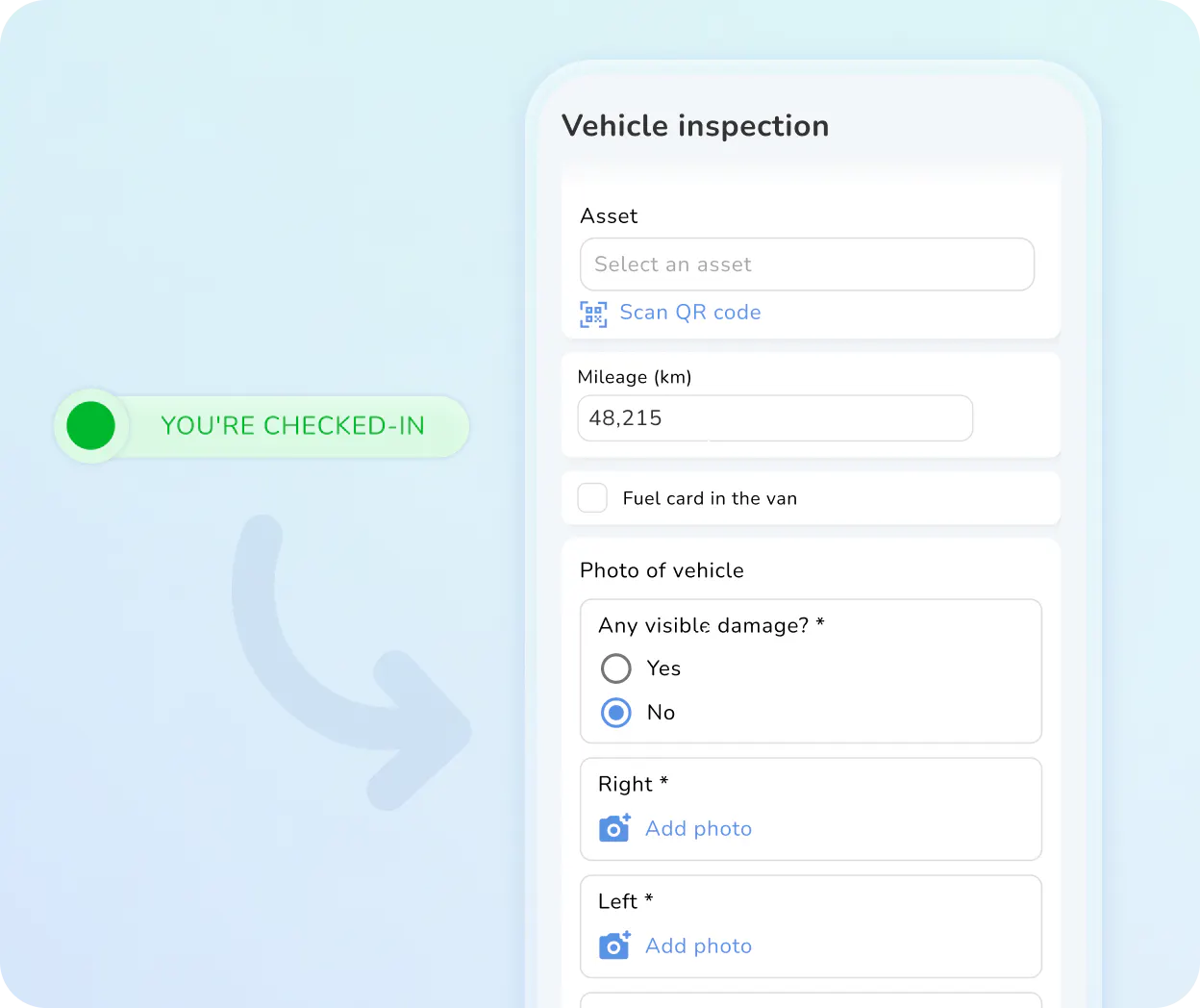
Every photo tied to the right van
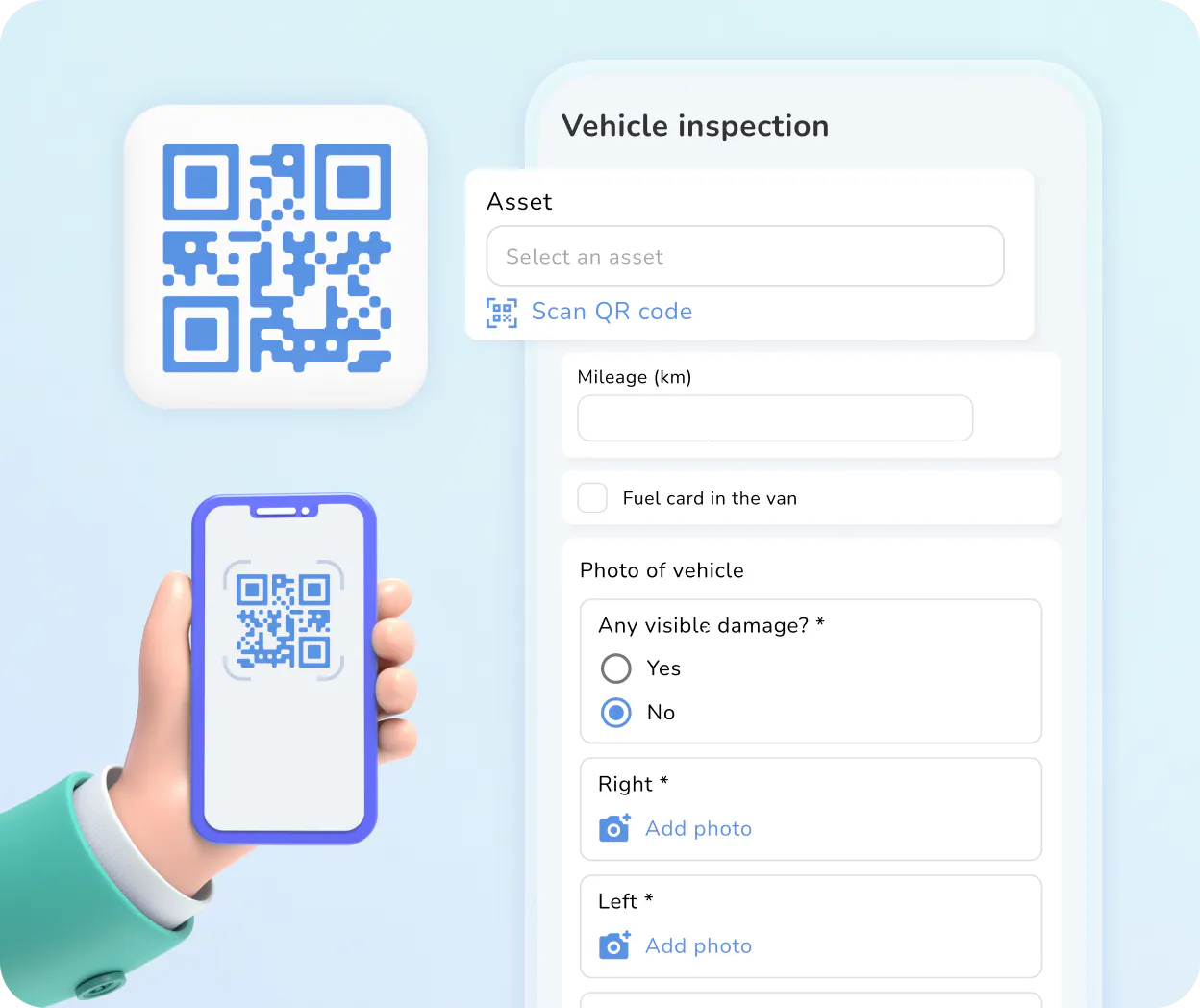
Track your fleet and other assets in Kenjo, so each individual vehicle check links to a specific asset
Input all your vans and other assets into Kenjo.
Attach category, status and ID to each asset.
QR codes for scanning are automatically generated.
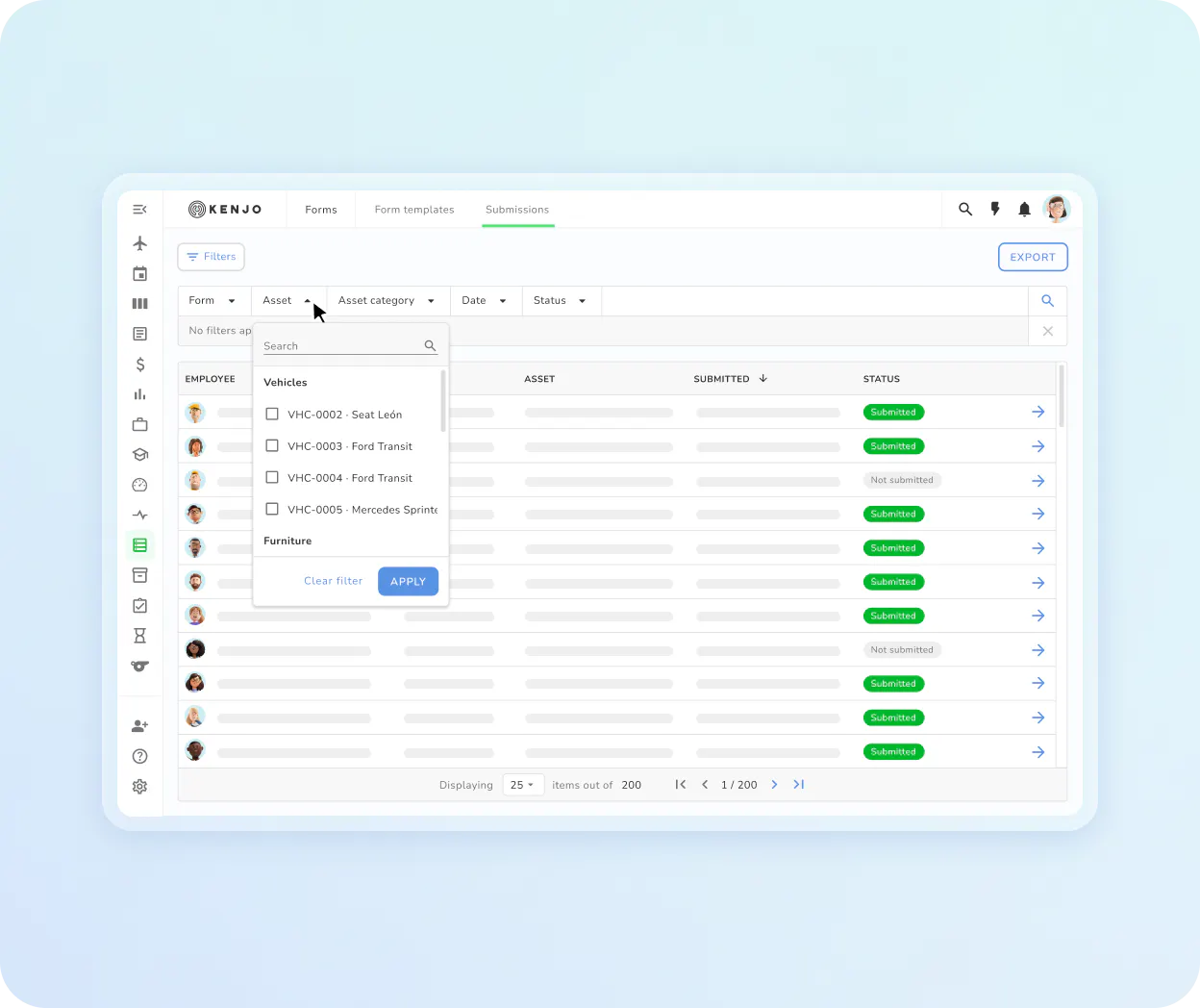
Find vehicle checks fast, and catch the ones that never happened
Kenjo keeps every submitted check and photo in one place, so you can search past records and spot missing ones
Search and filter by DA, van, template, asset category, or date.
Export any filtered view as a spreadsheet for your own records. Photos stay in Kenjo.
Open each day's overview to get a quick snapshot of which checks are done, which are still missing, and which van each DA logged.
Built for the way your DSP actually runs
Build any check
you need
Add the questions and photo fields your fleet needs. Start with one check and add as many as you need.
Scan the van's
QR code
Your DAs scan the QR code on the van to log the check against the right vehicle. Already have Amazon's QR codes on your vans? Use those as well, as long as the vehicle ID matches.
Closing the app
doesn’t skip the check
If a DA closes the app or their phone restarts partway through a required check, Kenjo opens straight back to it. They pick up right where they left off.
Give every van
a profile
Keep each van's ID, category and status in one place.
Run any daily
checklist
Not every check is about a vehicle. Set up a daily checklist for the morning safety briefing or for returning devices at the end of the shift. Your DAs open it in the app when they’re ready.
No clock-out without
a finished check
Make a check mandatory at clock-out, and your DAs can’t clock out until it’s done. Every van is documented before the shift ends.
Try Work Logs free for 3 months
Like it? Keep it for €250 a month for your entire fleet.
No automatic renewal. When your trial ends, you decide if you want to keep it.

Get started with Work Logs in 5 steps
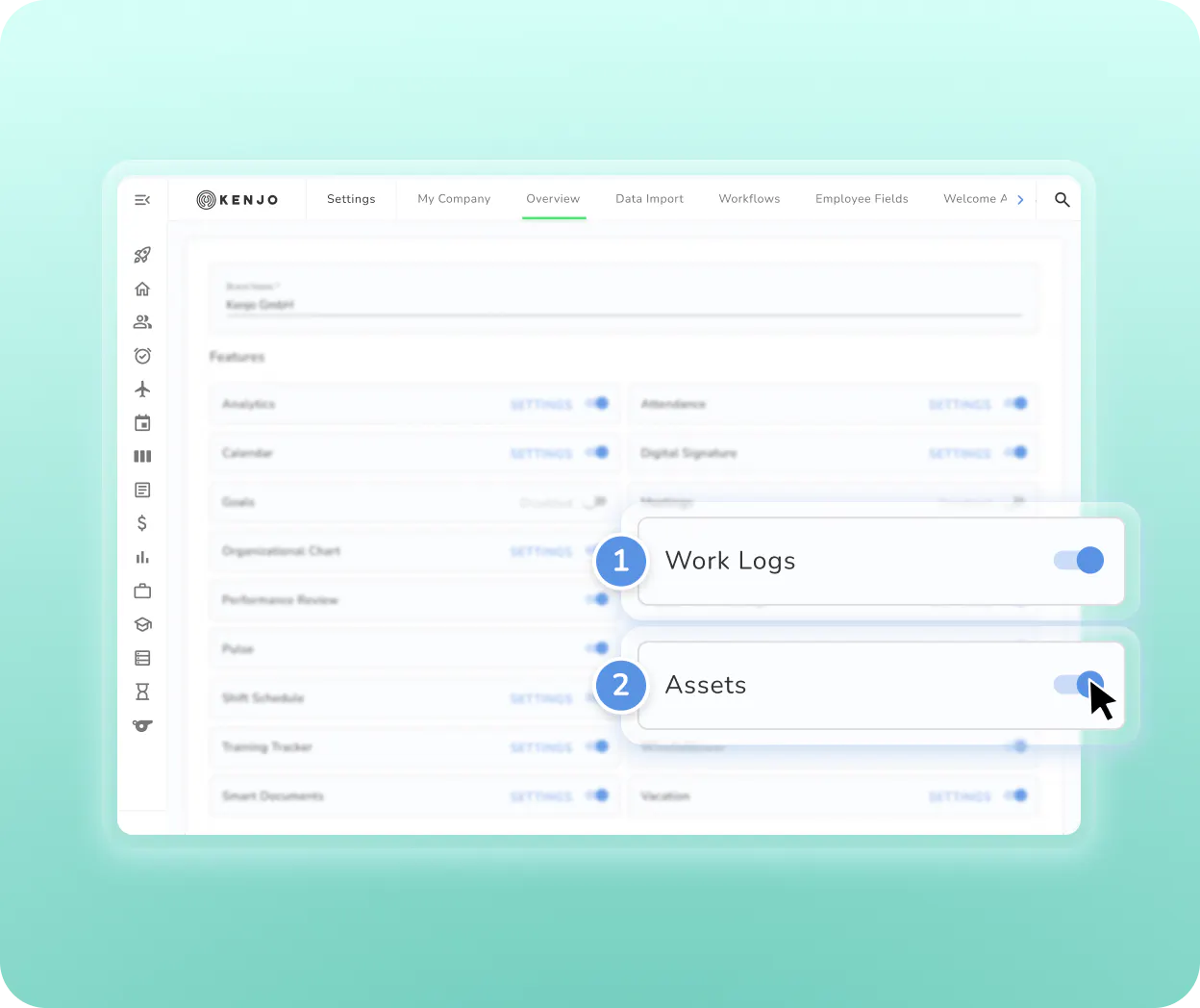
Turn it on in Settings. Your DAs see it the next time they clock in or out
1. Go to Settings. Open Settings in your Kenjo account.
2. Turn on Work Logs. Your 3-month free trial starts right away.
3. Turn on Assets. It appears as soon as Work Logs is on.
4. Add your vans. Give each one an ID, category and status.
5. Set up your first vehicle check. Link it to check-in or check-out, and your DAs see it the next time they clock in or out.
Do more with Kenjo for DSPs
Time and Attendance
Plan the week and get every DA’s hours right:
- Plan routes and shifts, and publish them straight to your DAs’ phones
- Your DAs clock in and out in the app, and you see who’s working in real time
- Kenjo adds up overtime and surcharges, so payroll is ready when you are
TAA+Admin
Handle the people admin that scheduling and payroll don’t cover:
- Send contracts and policies for e-signature, and your DAs sign on their phones
- Upload all your payslips at once, and Kenjo assigns each one to the right DA
- Track every DA’s licenses and certificates, and get a reminder before one expires
FAQs: What DSPs want to know
How much does Work Logs cost?

What happens when my free trial ends?
Can my DAs skip the vehicle check?
Can DAs upload old photos from their phone?
Who can see the photos?
Do I have to link every check to a van?
Can I export my check data?
Do I need to buy anything else to use Work Logs?